OZ7Z · JO44VW
VHF Logger
Web-based contest logger for VHF/UHF/SHF — log QSOs, calculate score, export EDI files, and track aircraft scatter opportunities in real time.
⏬ Open Logger ? HelpScreenshots
Click a screenshot to see it at full screen width.
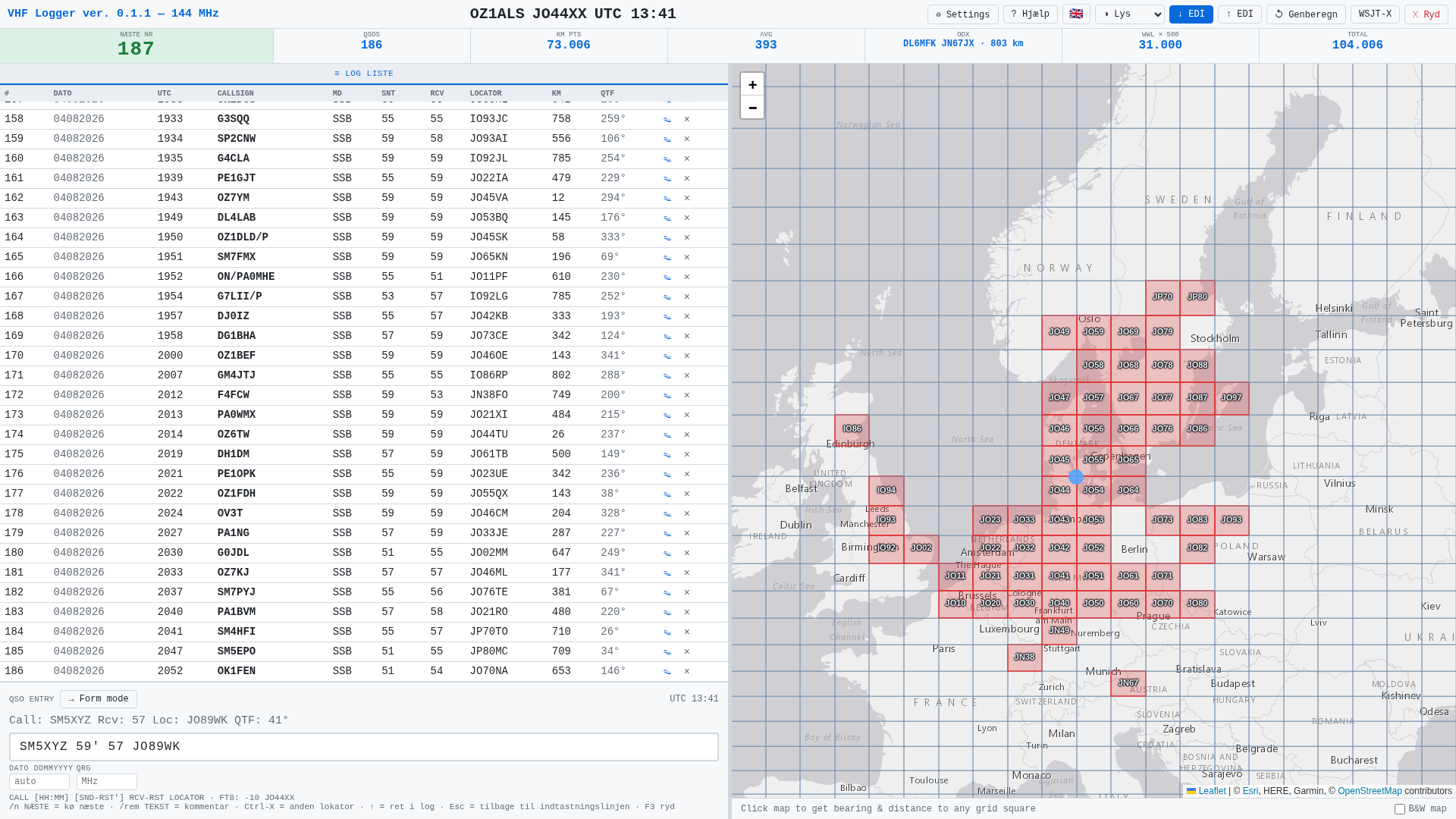
Simple logger — a real NAC log with 186 QSOs. The log list is on the left, the worked locator squares on the map to the right, and the score at the top. Each QSO is typed on one line at the bottom. A new browser starts in this mode.
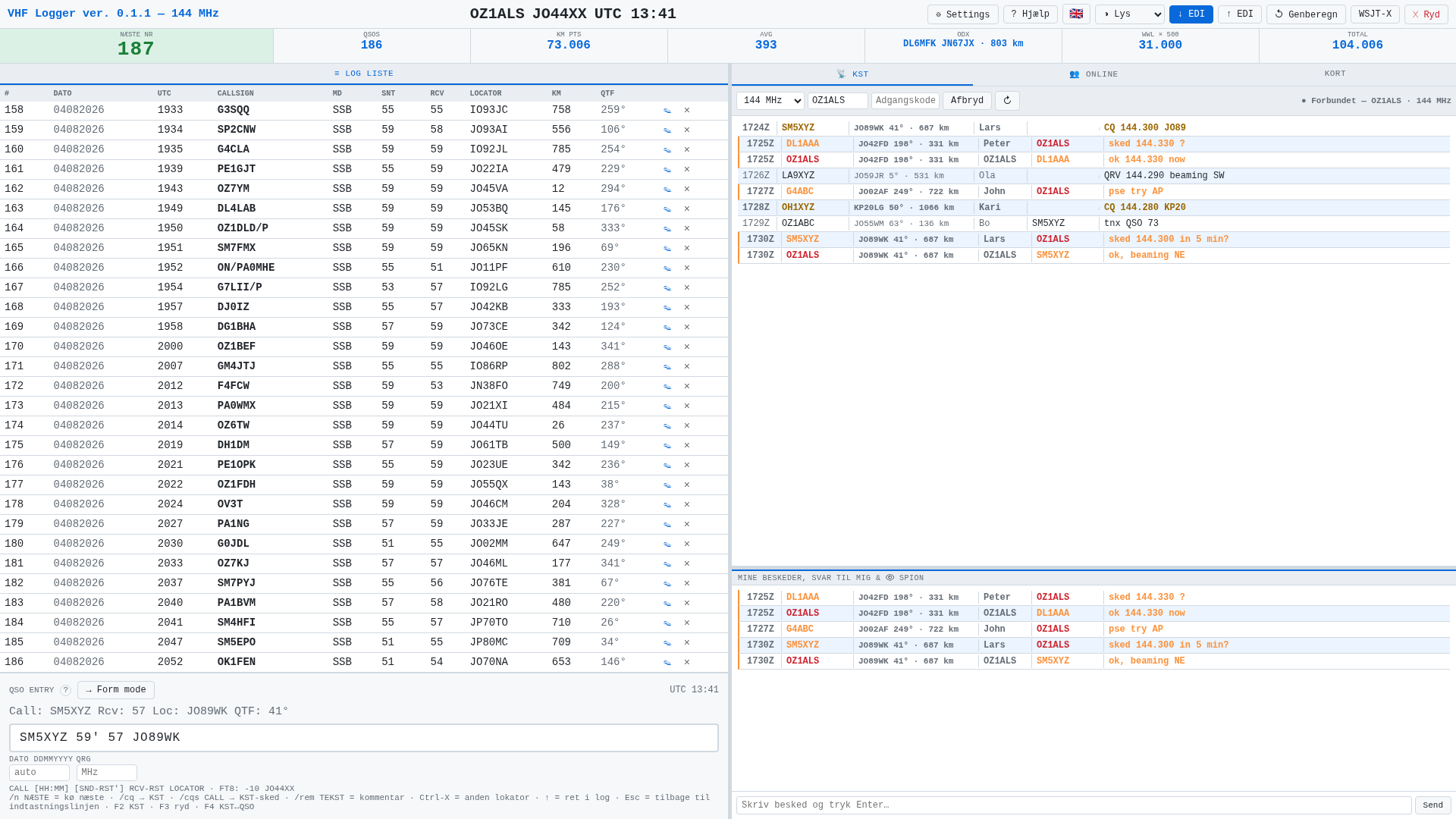
Logger + KST — the same log, with the ON4KST chat on the right: all messages at the top, your own messages and replies below. A tab next to it shows who is online, with distance and direction. (The chat lines are demo text.)
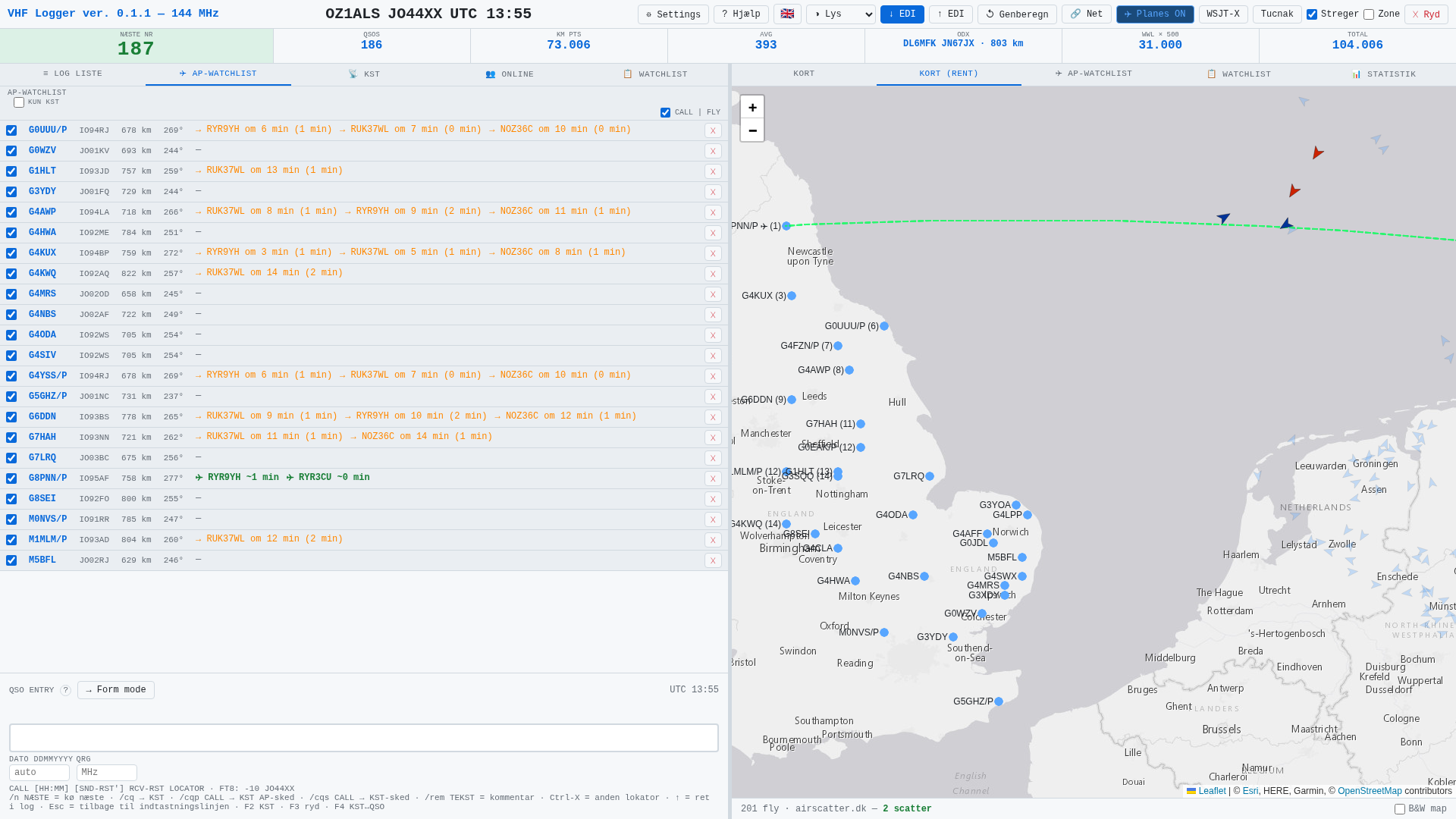
Full mode — aircraft scatter. The AP-watchlist (the
watchlist.txt below, loaded via Settings) has all stations ticked, and Lines is on (top right). G8PNN/P has active aircraft scatter right now (green ✈ and the green line on the map) — the other stations show which aircraft come next, in how many minutes, and for how long.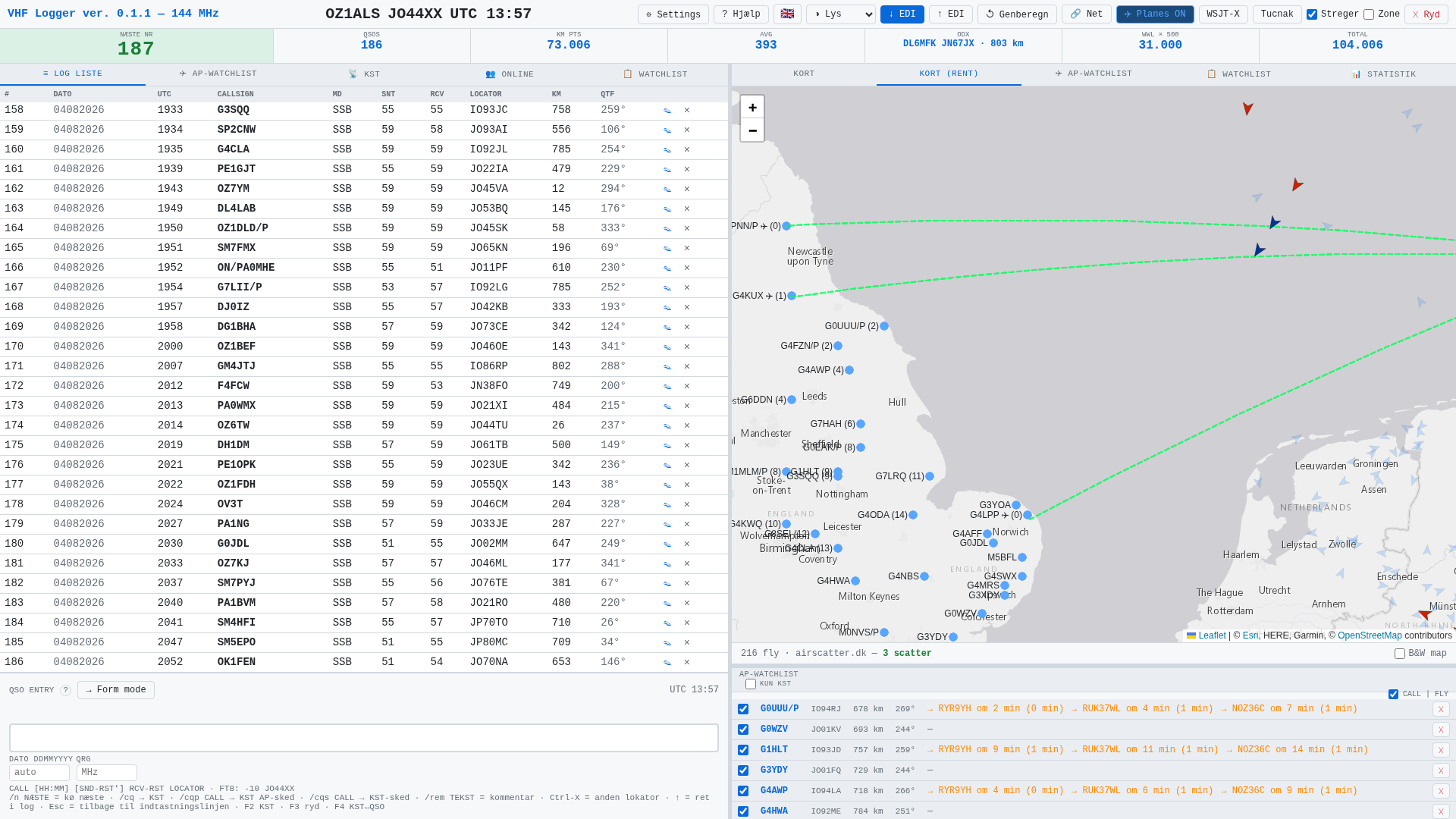
A couple of minutes later, with the log list on the left and the AP-watchlist below the map — three stations now have aircraft scatter at the same time (3 scatter under the map). The aircraft are shown on the map as icons along the green lines.
What does it do?
📋
QSO logging
One-liner or form entry. Automatic timestamp, dupe detection and serial numbers.
✈
Aircraft scatter
Real-time flight data from airscatter.dk. Shows which aircraft are in scatter position and when the next one arrives.
📡
ON4KST chat
Built-in KST chat. Right-click a callsign to send a scatter sked request directly.
📄
EDI export & import
Download your contest log in REG1TEST format ready for upload to vushf.dk. Re-load a saved EDI file to continue a previous session.
🔎
CW auto-detection
Type a 3-digit RST (e.g. 599) in one-liner mode and the QSO is automatically logged as CW — no manual mode switch needed.
📏
Accurate distances
Distances use R=6373.6 km (Hamlib/Tucnak standard) with ceiling rounding — matching the vushf.dk contest robot exactly.
Watchlist — pre-loaded stations
The Watchlist tab shows which stations you can work via aircraft scatter. You can import a ready-made list of known stations directly into the logger.
watchlist.txt
English stations (G, M) with locators — ready to import
↓ Download
How to import the list
- Download
watchlist.txtabove - Open the logger and go to Settings → Watchlist
- Click 📂 Import file and select the downloaded file
- The stations now appear in the Watchlist tab in the left panel
- Tick the stations you want to monitor — the logger will automatically show scatter ETA for each
File format
The file is semicolon-separated, one station per line:
G3YDY;JO01FQ
G4SWX;JO02RF
OZ7Z;JO44VW;Allan
Format: CALL;LOCATOR or CALL;LOCATOR;NAME. You can also create your own list and import it the same way.
Watchlist data is stored in the browser — you only need to import once. Stations you add manually in the logger are saved automatically.