OZ7Z · JO44VW
VHF Logger
Web-based contest logger for VHF/UHF/SHF — log QSOs, calculate score, export EDI files, and track aircraft scatter opportunities in real time.
⏬ Open Logger ? HelpScreenshots
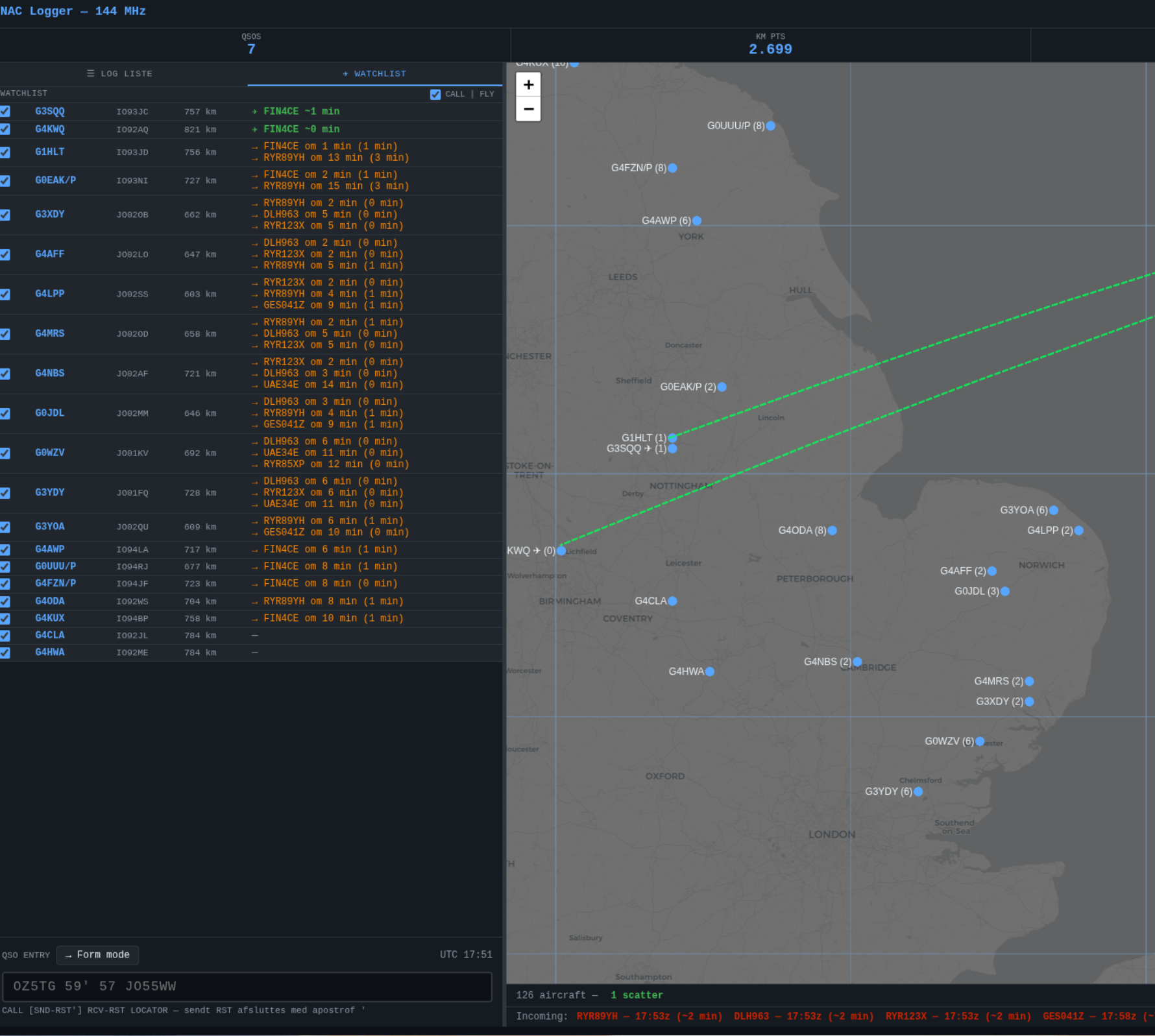
The watchlist has been loaded via Settings and all stations are ticked. The green lines overlay is also enabled (top right). Three stations currently have active aircraft scatter — the remaining stations show the estimated time until the next aircraft arrives on their route.
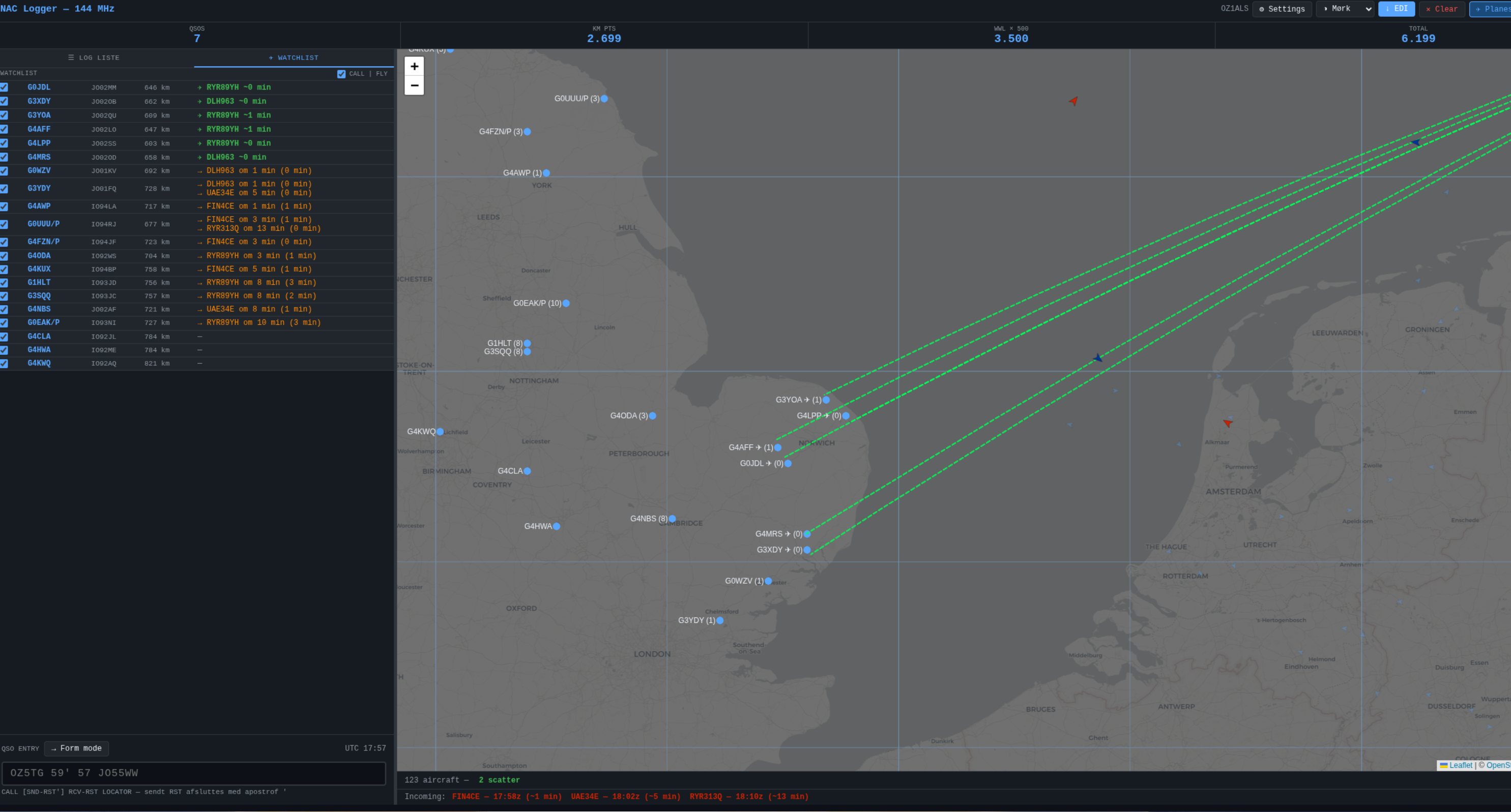
The same view a little later — different aircraft are now in scatter position on several routes simultaneously. The aircraft are also visible on the map as icons along the green lines.
What does it do?
📋
QSO logging
One-liner or form entry. Automatic timestamp, dupe detection and serial numbers.
✈
Aircraft scatter
Real-time flight data from airscatter.dk. Shows which aircraft are in scatter position and when the next one arrives.
📡
ON4KST chat
Built-in KST chat. Right-click a callsign to send a scatter sked request directly.
📄
EDI export & import
Download your contest log in REG1TEST format ready for upload to vushf.dk. Re-load a saved EDI file to continue a previous session.
🔎
CW auto-detection
Type a 3-digit RST (e.g. 599) in one-liner mode and the QSO is automatically logged as CW — no manual mode switch needed.
📏
Accurate distances
Distances use R=6373.6 km (Hamlib/Tucnak standard) with ceiling rounding — matching the vushf.dk contest robot exactly.
Watchlist — pre-loaded stations
The Watchlist tab shows which stations you can work via aircraft scatter. You can import a ready-made list of known stations directly into the logger.
watchlist.txt
English stations (G, M) with locators — ready to import
↓ Download
How to import the list
- Download
watchlist.txtabove - Open the logger and go to Settings → Watchlist
- Click 📂 Import file and select the downloaded file
- The stations now appear in the Watchlist tab in the left panel
- Tick the stations you want to monitor — the logger will automatically show scatter ETA for each
File format
The file is semicolon-separated, one station per line:
G3YDY;JO01FQ
G4SWX;JO02RF
OZ7Z;JO44VW;Allan
Format: CALL;LOCATOR or CALL;LOCATOR;NAME. You can also create your own list and import it the same way.
Watchlist data is stored in the browser — you only need to import once. Stations you add manually in the logger are saved automatically.